

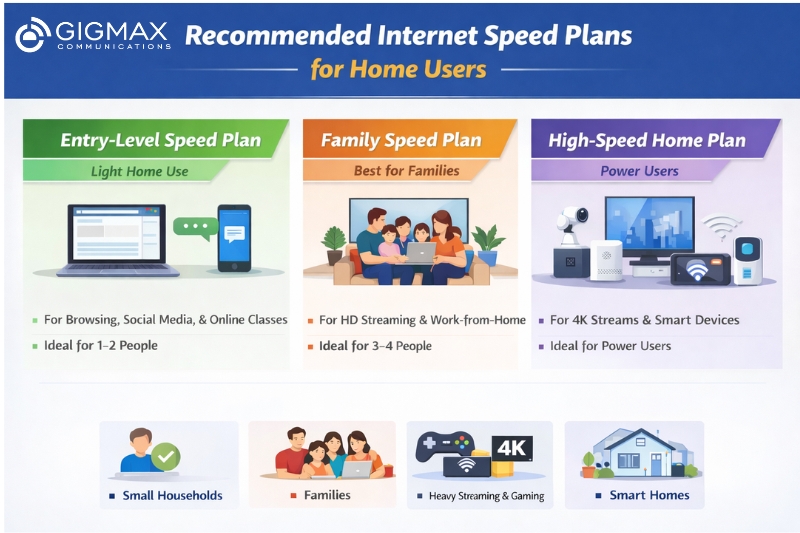
High-speed connectivity has become a basic necessity for modern households. From remote work and online learning to entertainment and smart devices, reliable internet plays a central role in daily life. This growing dependence often leads to a common question: how much internet speed do I need to support my household without slowdowns?
Understanding the right internet speed for home helps avoid buffering, dropped calls, and frustrating delays—while also ensuring you don’t overpay for speed you may not need. The answer depends on how your household uses the internet and how many people and devices are connected at the same time.
Why Internet Speed Matters for Home Internet Usage
Every online activity consumes bandwidth. Sending emails requires very little speed, while streaming videos, video calls, gaming, and cloud uploads demand significantly more. When several activities happen at once, speeds are shared across devices.
Typical home internet usage includes:
- Browsing websites and social media
- Streaming movies and TV shows
- Online meetings and video calls
- Online classes
- Gaming
- Smart TVs, CCTV cameras, and smart home devices
As usage grows, having the right speed becomes critical for a smooth experience.
What Does Internet Speed Mean?
Internet speed is measured in megabits per second (Mbps) and includes two key components:
- Download speed—affects streaming, browsing, and file downloads
- Upload speed—affects video calls, online meetings, and file sharing
Most home users rely more on download speed, but upload speed is equally important for work-from-home professionals and students.
A Simple Rule for Choosing Internet Speed for Home
While there is no single answer that works for everyone, a commonly accepted guideline is:
- 100 Mbps download speed and
- 10 Mbps upload speed
This level of speed is sufficient to handle most household activities, including HD streaming, video calls, gaming, and multiple connected devices.
What You Can Do at Different Internet Speeds
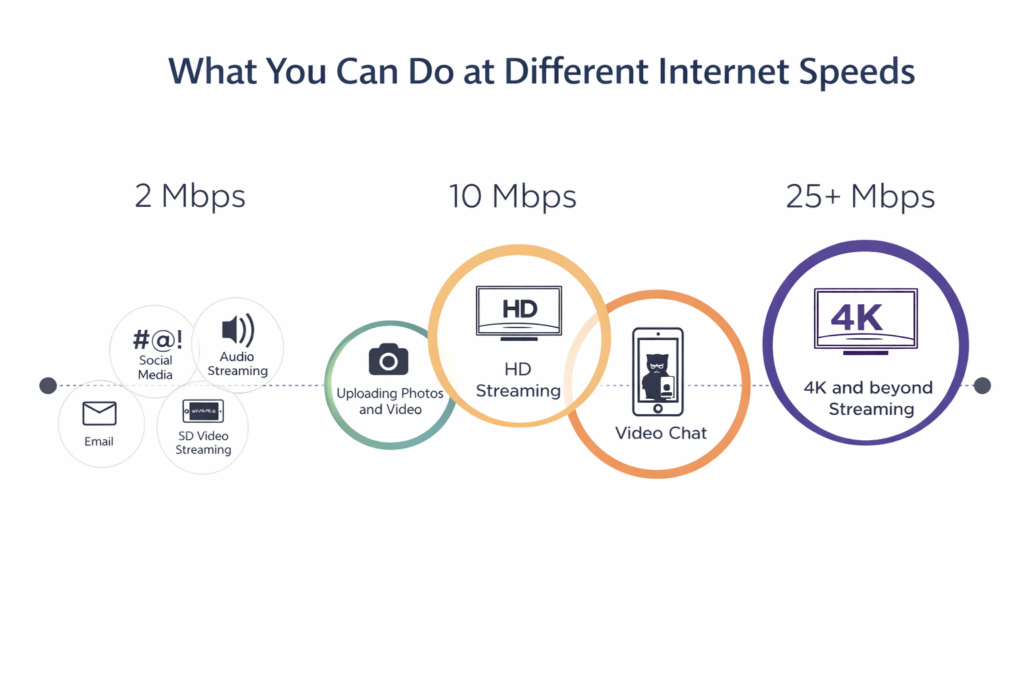
Here’s a general idea of how internet speed affects usage:
2 Mbps
- Social media browsing
- Audio streaming
- Standard-definition video
10 Mbps
- HD video streaming
- Video calls
- Uploading photos and short videos
25 Mbps
- 4K video streaming
- Online gaming
- Multiple devices with light usage
100 Mbps and Above
- Multiple 4K streams
- Large file downloads
- Online gaming on multiple devices
- Work-from-home setups
These speeds apply per household, not per person. When more devices are connected, total usage increases.
Best Internet Speed for Family Homes
The best internet speed for family depends on the number of users and how they use the internet.
Small Households (1–2 People)
- Browsing, social media, HD streaming
Recommended speed: 30–50 Mbps
Medium Families (3–4 People)
- Streaming on multiple devices
- Online classes and meetings
Recommended speed: 100 Mbps
Large Families or Heavy Users
- 4K streaming
- Gaming
- Multiple work-from-home users
Recommended speed: 200–500 Mbps
For most families, 100 Mbps offers the best balance between performance and cost.
Number of Devices Matters More Than You Think
Internet usage is cumulative. Every connected device—phones, laptops, TVs, smart speakers, and cameras—uses a portion of your bandwidth. As households add more smart devices, speed requirements increase automatically.
Even if individual activities use small amounts of data, multiple devices running simultaneously can slow down the connection if speed is insufficient.
Internet Speed Categories and Device Support
| Speed Range | Performance Level | Suitable Usage | Devices |
|---|---|---|---|
| 0–5 Mbps | Slow | Browsing, email | 1 |
| 5–20 Mbps | Basic | HD streaming | 1 |
| 20–40 Mbps | Solid | 4K streaming, gaming | 1–2 |
| 40–100 Mbps | Good | Streaming & gaming | 2–3 |
| 100+ Mbps | Fast | Heavy usage | 4+ |
| 1 Gbps+ | Ultra-fast | Everything | 10+ |
WiFi Speed vs Internet Speed
Many homes experience slow internet due to WiFi issues rather than actual speed limitations.
- Internet speed comes from your service provider
- WiFi speed depends on router quality and placement
Improving WiFi performance includes:
- Using a modern router
- Placing it centrally
- Avoiding thick walls and interference
- Upgrading outdated equipment
How to Check If Your Internet Speed Is Enough
Running a speed test helps measure your current download and upload speeds. If results are lower than expected:
- Close background apps
- Pause downloads or uploads
- Restart modem and router
- Check for device overload
Consistently low results may indicate the need for a higher-speed plan.
FAQs: Internet Speed for Home
What’s the best internet speed for my house?
The best internet speed for your house depends on the number of users and devices. For basic usage, 50 Mbps is sufficient, while families with multiple users benefit from 100 Mbps or more.
Is 100 Mbps enough for home internet?
Yes, 100 Mbps is enough for most homes. It supports HD streaming, video calls, online classes, gaming, and multiple connected devices at the same time.
What is a good home WiFi internet speed?
A good home WiFi internet speed typically ranges from 50 Mbps to 200 Mbps, ensuring stable connectivity for everyday home internet usage.
Is 500 Mbps fast for 3 people?
Yes, 500 Mbps is very fast for 3 people. It allows multiple 4K streams, gaming, large downloads, and cloud usage without any performance issues.
Final Thoughts
Understanding internet speed for home helps households make smarter choices and avoid slow connections. By evaluating home internet usage and knowing how much internet speed they need, families can select a plan that delivers consistent performance across all devices. For homes seeking fast, reliable fiber connectivity with plans designed for modern family needs, Gigmax offers high-speed broadband solutions that support smooth streaming, work, and entertainment without compromise.

Leave a Reply